
The first audience is human. They see your layout, your brand colors, your hero image, and your navigation dropdowns. They interact with JavaScript, scroll through animations, and click through carousels. Every pixel has been considered. You’ve A/B tested the button color.
The second audience is artificial. ChatGPT, Claude, Perplexity, and dozens of other AI platforms send crawlers to your site every day. They don’t render your CSS. They don’t execute your JavaScript. They don’t see your carefully designed hero section. They consume your site as structured text, and what they see looks nothing like what you see.
Most site owners have never looked at their website through the eyes of an AI crawler. We built a way to do that, and the gap between the two versions is worth examining.
Two versions of the same page
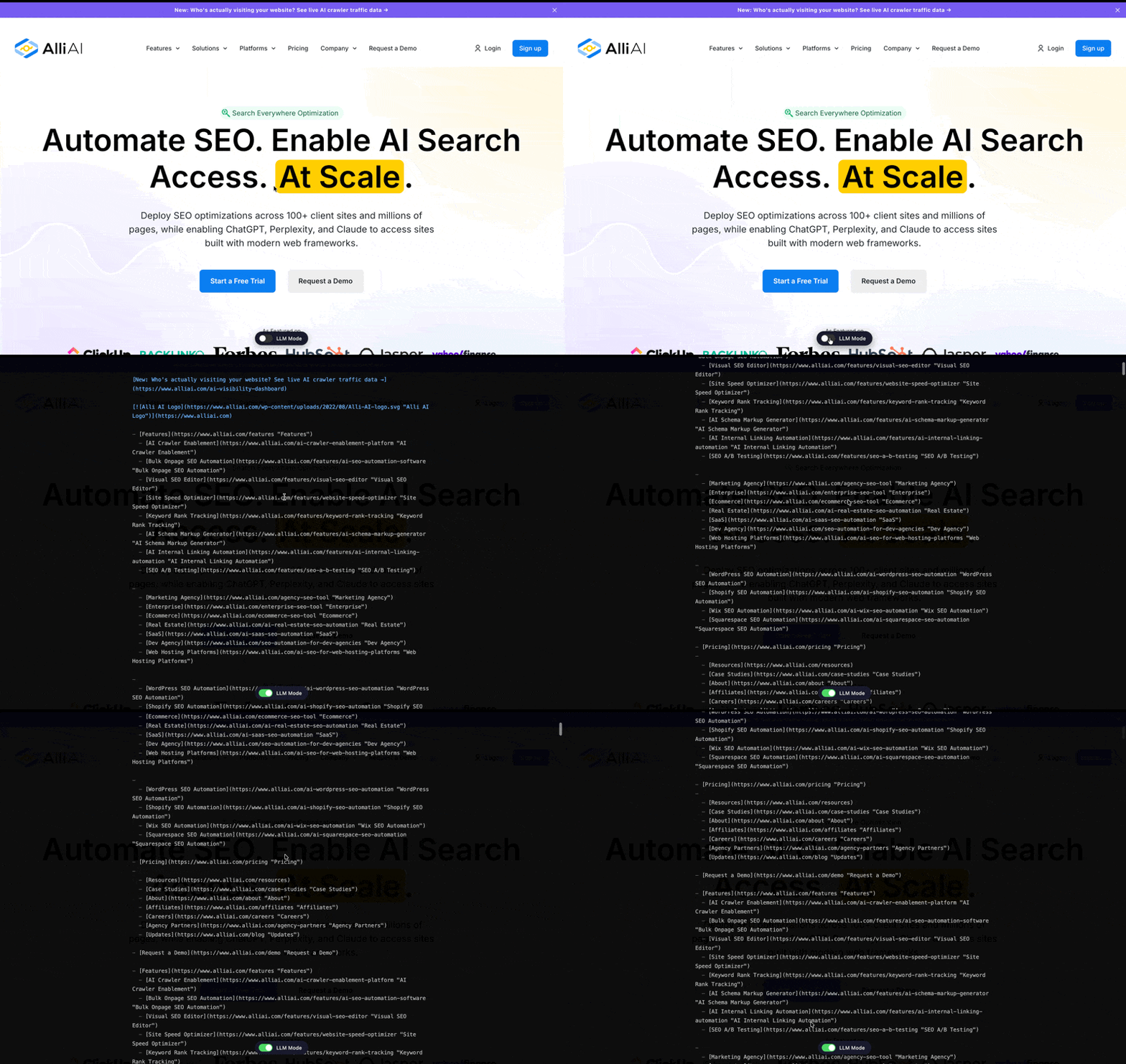
We added a toggle to the Alli AI homepage called LLM Mode. Flip it off, and you see the site the way a human does: styled, branded, rendered. Flip it on, and you see what an AI crawler receives: structured markdown. Navigation as plain-text links with full URLs. Headlines as hierarchy markers. Images reduced to alt text and source paths. Content stripped to its information architecture with no styling, no layout, no visual rendering.
Same URL. Same server. Two completely different experiences.
On our homepage, the human version is a designed landing page with a headline, subtext, CTAs, feature carousels, and social proof. The AI version is a flat text document. The Alli AI logo appears as an image link with a raw file path. The navigation, which humans see as a single clean menu, renders three or four times as separate text blocks because every responsive variant (mobile, desktop, sticky header) outputs independently. Feature sections that display as visual cards with icons become plain-text lists with markdown headers. Testimonials that show polished headshots and star ratings become raw text with emoji rendered as SVG image references. Every link on the page is exposed with its full URL path. Every piece of content hierarchy is visible as a header level. Nothing is hidden behind a hover state, a carousel, or a JavaScript interaction.
This is what ChatGPT reads when it visits. This is what Perplexity processes when it indexes. This is the version of your site that determines whether you get cited in an AI-generated answer or get skipped entirely.
Nobody is designing this layer
Here’s the thing that should bother every product team, every marketing team, and every engineering team: nobody is intentionally designing the AI-facing version of their website.
The human version gets obsessive attention. Design reviews, brand audits, performance optimization, accessibility testing, conversion rate experiments. Teams spend months on it.
The AI version is whatever the server happens to return when a non-rendering crawler makes a request. For sites with server-side rendering, that might be passable HTML with the content mostly intact. For the 63% of modern websites built with JavaScript frameworks, it’s often a nearly empty document: a shell div, some script tags, and no content at all.
Nobody is QA-ing this version because nobody has had a way to see it. There’s no “Preview as ChatGPT” button in any CMS. There’s no AI crawler emulation in Chrome DevTools. The feedback loop doesn’t exist, so the problem stays invisible.
The toggle changes that. It makes the AI version of your site visible, inspectable, and comparable to the human version. For the first time, you can look at what you’re actually serving to the fastest-growing class of web visitors and ask whether it’s good enough.
The markdown web
What AI crawlers consume isn’t HTML in any meaningful sense. It’s closer to markdown: structured text with hierarchy, links, and content, but no presentation layer.
That’s not a limitation of the crawlers. It’s what they need. An AI platform processing your content to generate an answer doesn’t care about your grid layout or your font choices. It needs clean text, clear hierarchy, accurate links, and well-structured information. The presentation layer is noise for this audience.
This has an interesting implication: the web is quietly bifurcating into two layers. A visual layer for humans (HTML, CSS, JavaScript, rendered pixels) and a text layer for AI (structured content, link graphs, information hierarchy). This isn’t something anyone planned. It’s emerging organically because a new class of consumer, AI platforms, needs a different format than what the web has been optimized to deliver for 30 years.
The sites that recognize this bifurcation and deliberately design both layers will have an advantage over sites that keep treating the AI version as an afterthought. Not because of any ranking algorithm, but because the quality of the text layer directly determines how accurately and completely AI platforms can understand, summarize, and cite your content.
What to look for in your AI version
If you could toggle between human view and AI view on your own site right now, here’s what would matter:
Is your content actually there? For JavaScript-rendered sites, the AI version might be completely empty. No content, no navigation, no text. Just an application shell. This is the most common and most severe problem, and most site owners don’t know it’s happening because they’ve never looked.
Is the hierarchy clear? AI platforms use heading structure to understand content organization. If your AI version is a flat wall of text with no semantic markup, the platform has to guess at what’s important. A clear H1, H2, H3 structure gives it a map.
Are your links meaningful? In the AI version, every link is exposed as plain text with its full URL path. On our own homepage, navigation items like “AI Crawler Enablement” link to /ai-crawler-enablement-platform, which gives an AI platform a clear context about the destination. But our case study cards all say “Learn more” with no surrounding context. In the human version, the visual layout makes it obvious what each “Learn more” refers to. In the AI version, it’s three identical link labels in a row. That’s a real gap we found by looking at our own markdown output.
How much duplication exists? Responsive design creates an invisible problem. Our homepage nav renders three separate times in the AI version because the mobile menu, desktop menu, and sticky header are all separate DOM elements. A human only ever sees one. An AI crawler processes all of them, which means it’s parsing the same navigation links repeatedly before it gets to the actual page content. That’s noise you wouldn’t know about without seeing the text layer.
Is your information self-contained? Content that depends on visual elements (images with no alt text, data in graphics with no text equivalent, meaning conveyed through layout positioning) loses context in the AI version. On our site, images render as markdown references with alt text and source URLs. If that alt text is generic (“Why Businesses Are Switching to Alli AI” repeated across every logo) rather than descriptive, the AI platform gets no useful information from those elements. The text layer needs to stand on its own.
The connection to traffic
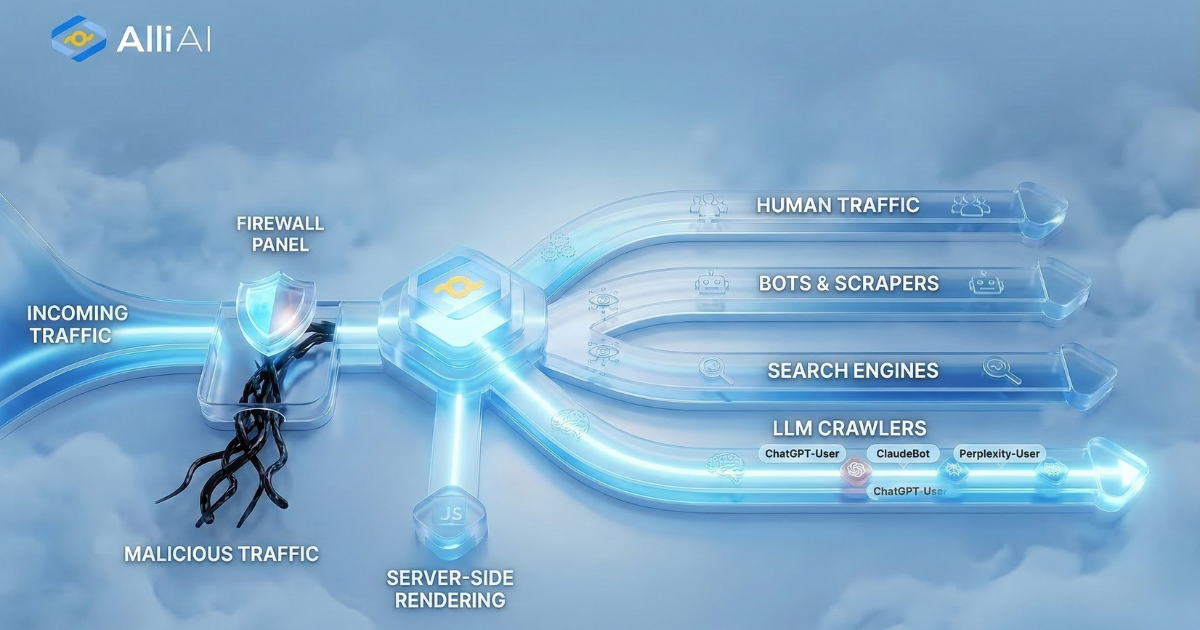
In a previous post, we showed live data from a production website, breaking down visitors into four categories: Human, Bots, Search Engines, and LLM crawlers. That dashboard answers the question of who’s visiting.
This is the other half. Once you know AI crawlers are visiting regularly, the natural next question is: what do they find when they arrive?
For sites where the AI version is clean, structured, and complete, those crawler visits turn into indexing, citations, and visibility across AI platforms. For sites where the AI version is empty or incoherent, those visits are wasted. The crawlers come, find nothing useful, and leave. The site stays invisible in AI-generated answers, and the owner never knows why because they’ve never seen the version of their site that matters.
The toggle makes both halves of that equation visible. See who’s visiting. See what they find. Decide whether it’s good enough.
The implication
Every site on the internet now has a shadow version of itself: the text layer that AI platforms consume. It exists whether you designed it or not. It’s being indexed whether you’re aware of it or not. And its quality directly affects whether your content shows up when someone asks ChatGPT a question that your website could answer.
The sites that will win the next phase of the web aren’t necessarily the ones with the best visual design or the most sophisticated JavaScript. They’re the ones that take their AI-facing layer as seriously as their human-facing layer. That starts with seeing it for the first time.
There’s a competitive dimension here, too. The ability to pull up a client’s site, toggle to the AI view, and show them exactly what ChatGPT sees when it visits is becoming one of the fastest ways for a services team to demonstrate that they understand where search is going, not just where it’s been.