Customers are asking ChatGPT which tool, store, or service to pick. Is it describing your business correctly, and do you have any way to tell? As of November 10, 2026, you do. OpenAI’s new Business Hub lets you claim your business, correct what ChatGPT says about it, and see how often it gets mentioned.
OpenAI says 1.2 billion people use ChatGPT each week. Claiming your profile is free at launch, and it’s the first official way to manage how you show up there. This guide covers setup for your own business and, if you’re an agency, for every client you manage.
Step 1. Choose the account that will own the claim
Decide which ChatGPT account holds the claim before you start. Whoever claims the business becomes its admin, and only the admin can add teammates or give an agency access later. Invitations can also depend on the account used to claim, so a throwaway or personal login creates problems down the line.
How to do it:
- Use a company controlled ChatGPT account, not an employee’s personal login that leaves when they do.
- If you claim inside a ChatGPT workspace, know that the people you invite may need to be members of that workspace.
For agencies: have the client’s own account hold the claim, then get added as a collaborator in Step 6. It’s the same ownership model you’d use for a Google Business Profile, and it keeps the handoff clean if the engagement ends.
Step 2. Find your business in Business Hub
Business Hub is the dashboard where everything happens: claiming, editing, and insights.
How to do it:
- Sign in to ChatGPT and open the Business Hub from the sidebar, or go to chatgpt.com/business-hub.
- Select Get started. Continuing accepts OpenAI’s Businesses in ChatGPT terms.
- Search for your business by name and select the matching listing.
- Confirm which ChatGPT account will manage it.
What you might see:
- No listing found: an eligible online business may be offered the option to add one.
- “Contact support”: the listing is locked. Request access from OpenAI.
- A claim invitation in your email: open the personal link and sign in with the email address that received it. Don’t forward it.
Check eligibility first. Any eligible business located where ChatGPT is available can claim. Local stores and restaurants can currently claim only an existing US listing. Existing OpenAI Enterprise customers and advertisers claim through their OpenAI representative instead.
Step 3. Verify that you represent the business
This proves you own or are authorized to represent the business. ChatGPT only shows the verification methods that fit your listing.
How to do it: pick one of the offered methods.
| Method | How it works | Best for |
| Business phone | Code by text or automated call to the listed number | Local businesses with a staffed main line |
| Business email | Code sent to the business address | Teams with access to the listed inbox |
| Website domain (DNS TXT) | Add a TXT record, then select Verify domain | Anyone with DNS access |
| Shopify | Connect your store and approve permissions | Shopify merchants |
If you use DNS verification, three details trip people up:
- Host field: many DNS providers append your root domain automatically. Enter only the part before it, or you’ll create a doubled domain and verification fails.
- Value: paste it exactly, including the openai-business-claim= prefix.
- Expiry: the record expires. If it lapses, generate a new one.
Propagation can take minutes to several hours. If the first attempt fails, check the record with a public DNS lookup tool before retrying.
For agencies: DNS is usually the fastest route, since you often already manage the client’s DNS. Get written authorization from the client before you add the record.
Step 4. Complete the Persona identity check
Claim approval gets you into Business Hub, but it isn’t the finish line. You need to pass identity verification with Persona before you can publish changes, view insights, or create a business agent. This check is on the person managing the profile, separate from the business check in Step 3.
How to do it:
- Select Verify on the “Verify your identity” banner.
- Upload a photo of the front of a government ID (driver’s license, passport, state ID, and similar). On a desktop without a decent camera, choose Continue on another device.
- Wait for review. Status updates appear in your organization settings over the following days.
Some businesses may also be asked for registration details or proof of authorization, so have those ready.
For agencies: the person who passes this check should be the admin from Step 1. That’s another reason the client, not the agency, should hold the claim.
Step 5. Fill out your profile and product feed
This is the information ChatGPT can draw on when people ask about you. OpenAI says ChatGPT may use claimed information, so an incomplete profile is a missed opportunity.
How to do it:
- Choose your category.
- Open Edit business info and review your website, description, logo, cover photo, and delivery and return policies. OpenAI reviews changes before they publish.
- If you sell products, connect a product feed (CSV or JSON) or sync your Shopify catalog, so ChatGPT works from current prices and availability.
- If you’re an eligible US ecommerce or online service business, review the Agent builder. Business Agents answer customer questions inside ChatGPT. Test yours before publishing it.
Example: keep your name, category, and description consistent with your website and Google Business Profile. Mismatched details across sources make it harder for any AI system to resolve which business is which.
Step 6. Invite your team or your agency
The admin who claimed the business can add teammates in Business Hub and grant an agency access to manage the business or its agent. Each person signs in with their own ChatGPT account.
How to do it:
- In Business Hub, select Invite.
- Add each teammate or agency contact by their own ChatGPT account email.
- If the business was claimed inside a ChatGPT workspace and an invite is blocked, check workspace membership, then contact OpenAI Support.
For agencies managing a portfolio:
- One client, one claim. Each client’s account holds its own claim, with your team invited as collaborators.
- Multi-location clients: each location is claimed separately for now. Claiming the parent brand doesn’t claim its locations, and central management isn’t available yet. A 40 location client means 40 claims.
- Keep a tracker of the client, claiming account, verification method, Persona status, and invite status. The beta has no portfolio view, so you’ll need your own.
Step 7. Read your insights and fix what ChatGPT can’t see
Insights tell you whether claiming changed anything. In the Business Hub, open your business and select Insights. You’ll see:
- Mentions: for online businesses, how often ChatGPT references your website. A brand name alone doesn’t count.
- Profile views: how often your profile was viewed.
- Website clicks: recorded clicks to your site. OpenAI notes these don’t confirm visits or conversions.
- Discovery topics: common themes across conversations where your site is cited.
OpenAI doesn’t share individual prompts or chats, and metrics only appear after activity passes a reporting threshold. A blank metric isn’t the same as zero.
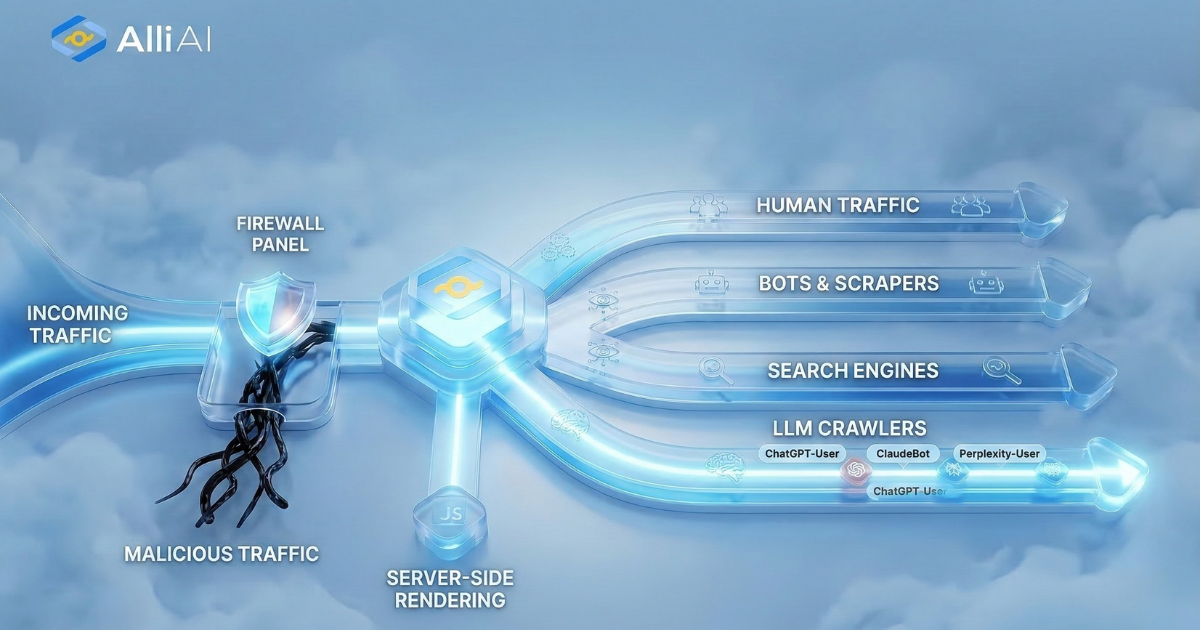
What to do with low mentions: mentions count references to your website, and a profile can’t make ChatGPT cite pages it can’t read. If your site runs on a front end framework like React, Vue, Next.js, or Angular, AI crawlers may receive near-empty HTML. Alli AI research found 63% of JavaScript framework sites are invisible to AI crawlers. Test what GPTBot actually receives from your key pages before assuming the problem is your profile.
For agencies: baseline each client’s insights in the first month, then report movement alongside the site level fixes you ship. That’s the before/after story clients pay for.
Final thoughts
Claiming your business in ChatGPT takes an afternoon and gives you control over your details plus the first official data on how ChatGPT talks about you. Claim with the right account, finish the identity check, and then use insights to find the pages ChatGPT still can’t read.